Analytics
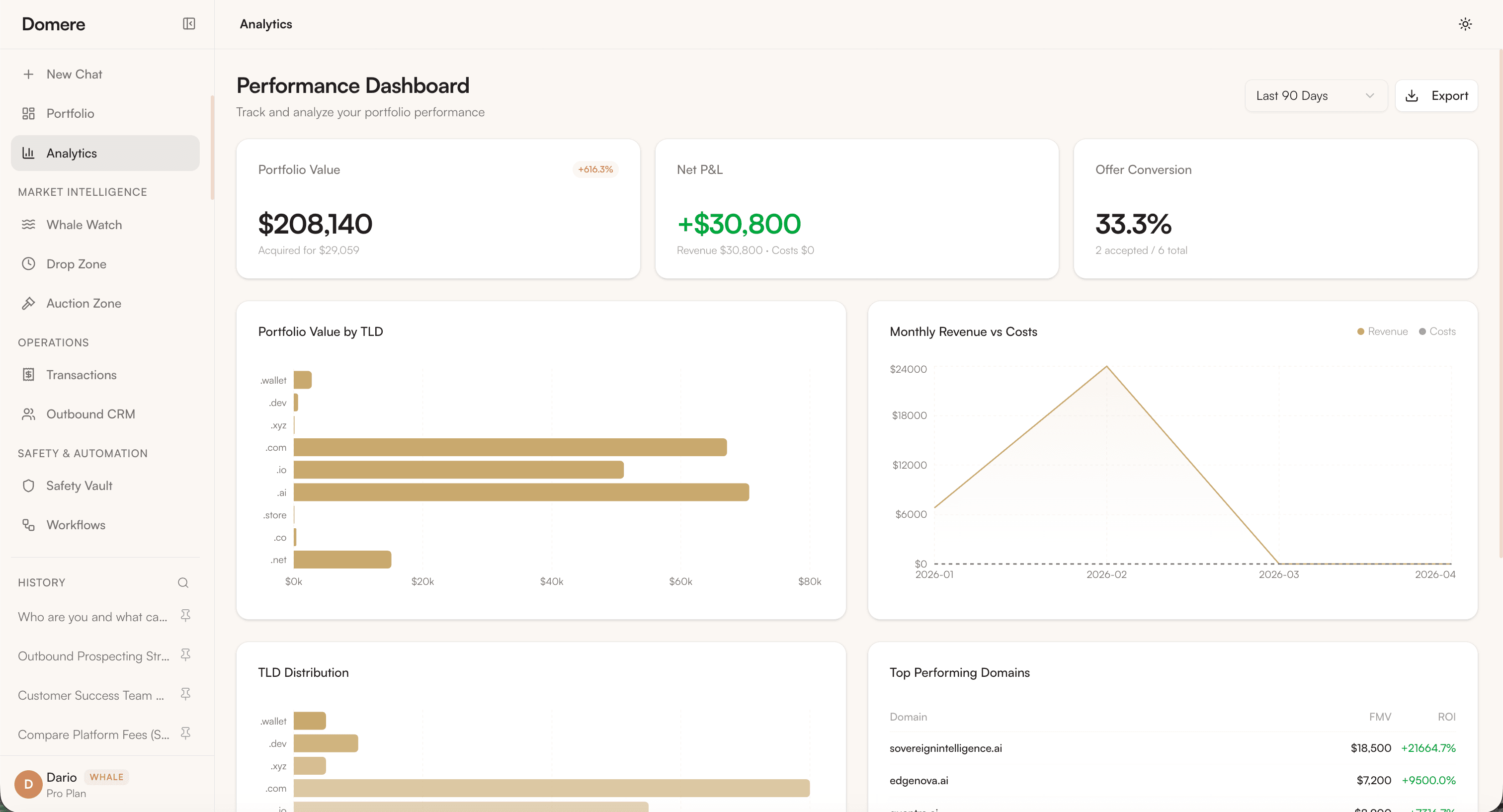
The Analytics dashboard gives you a complete financial picture of your portfolio — revenue, costs, ROI, and performance broken down by TLD and individual domain.
Overview Metrics
| Metric | Description |
|---|---|
| Portfolio Value | Total estimated fair market value of all domains |
| Net P&L | Revenue minus costs — your realized profit or loss |
| Offer Conversion | Percentage of offers received that were accepted |
Charts
Portfolio Value by TLD
A horizontal bar chart showing the distribution of estimated value across TLD extensions (.com, .ai, .store, .xyz, etc.). Use this to identify which extensions are driving the most value in your portfolio.
Monthly Revenue vs Costs
A line chart tracking revenue and costs month over month. Revenue spikes indicate domain sales. The cost baseline represents renewal fees and acquisition costs.
TLD Distribution
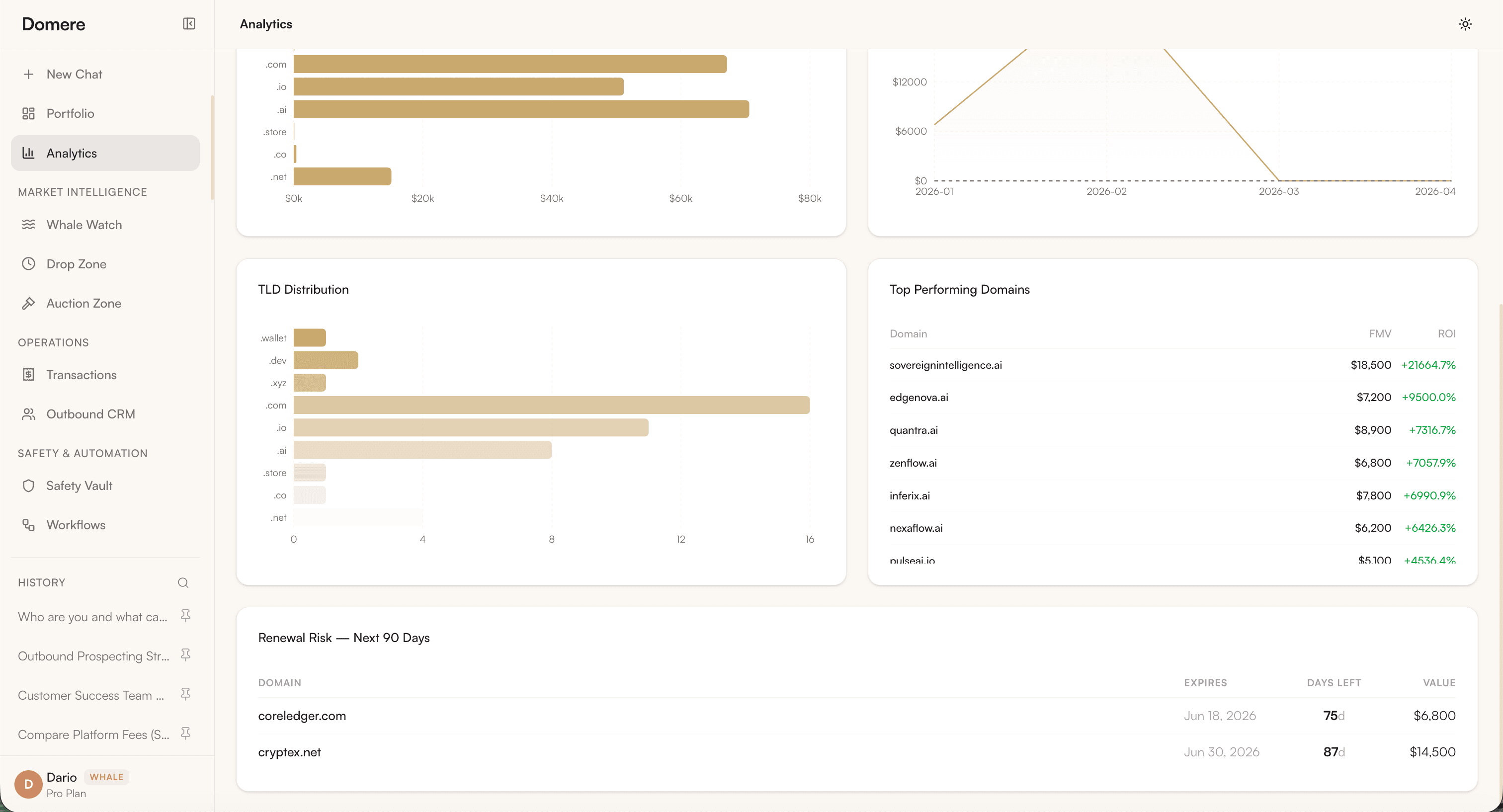
A breakdown of how many domains you hold per extension — useful for identifying concentration risk.
Top Performing Domains
A ranked list of your highest-value domains with:
| Column | Description |
|---|---|
| Domain | Domain name |
| FMV | Fair Market Value — AI-estimated current value |
| ROI | Return on investment based on acquisition cost |
Time Range Filter
Use the Last 30 Days dropdown to change the reporting period:
- Last 7 Days
- Last 30 Days
- Last 90 Days
- All Time
Export
Click Export to download your analytics data as a CSV file for external reporting.