Transactions
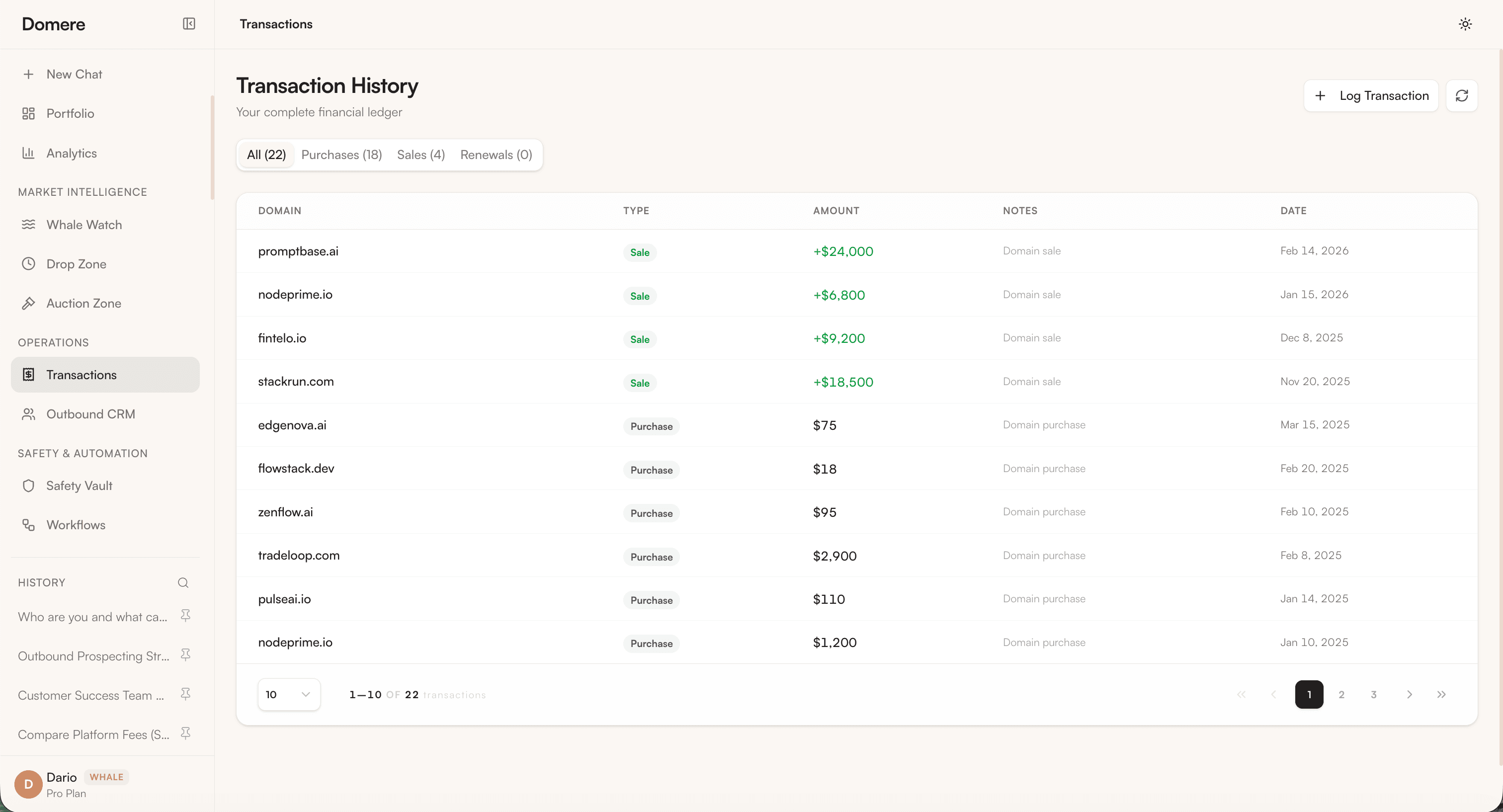
The Transaction History page is your complete financial ledger — every domain purchase, sale, and renewal recorded in one place.
Overview
Transactions are organized into tabs:
| Tab | Description |
|---|---|
| All | Every transaction across all types |
| Purchases | Domain acquisition costs |
| Sales | Revenue from domain sales |
| Renewals | Annual renewal fees paid |
Transaction Table
Each row shows:
- Domain — The domain the transaction relates to
- Type — Purchase, Sale, or Renewal (color-coded)
- Amount — Transaction value in USD (green for sales, neutral for costs)
- Notes — Short description of the transaction
- Date — When the transaction was recorded
Logging a Transaction
Click + Log Transaction to manually record a transaction.
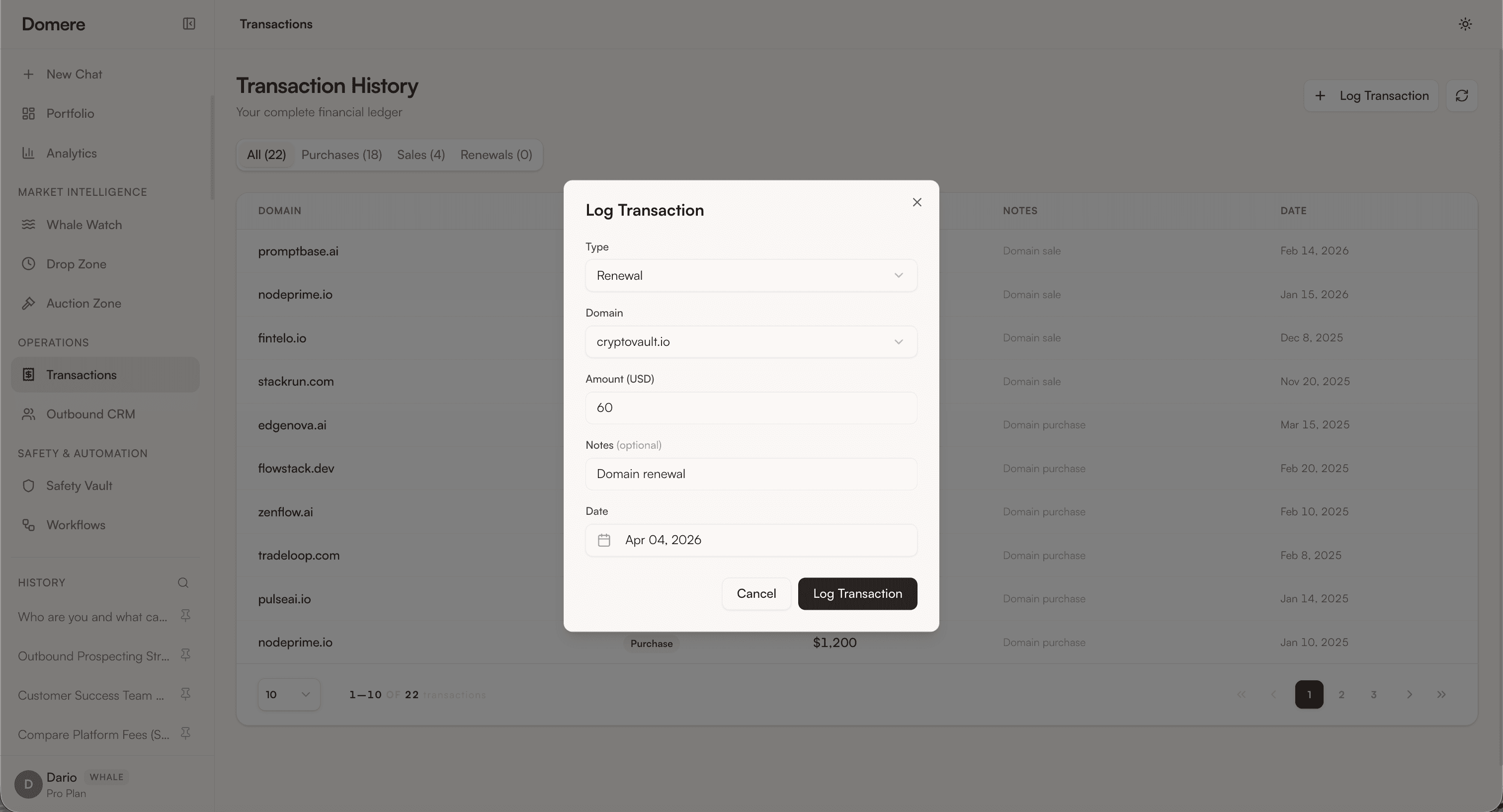
Fill in:
| Field | Description |
|---|---|
| Type | Purchase, Sale, or Renewal |
| Domain | Select from your portfolio |
| Amount (USD) | Transaction value |
| Notes | Optional description |
| Date | Defaults to today |
Click Log Transaction to save.
Transactions feed directly into the Analytics dashboard — sales appear as revenue, purchases and renewals appear as costs in the Monthly Revenue vs Costs chart. The Transaction History also reflects your current portfolio status.